Insert the plugin
Open Inflator in your DAW like any other plugin: on the master, on a bus or on a single track.
Louder and denser with one knob
990 ₽one-time purchase · 2 computers · updates included
four steps
Open Inflator in your DAW like any other plugin: on the master, on a bus or on a single track.
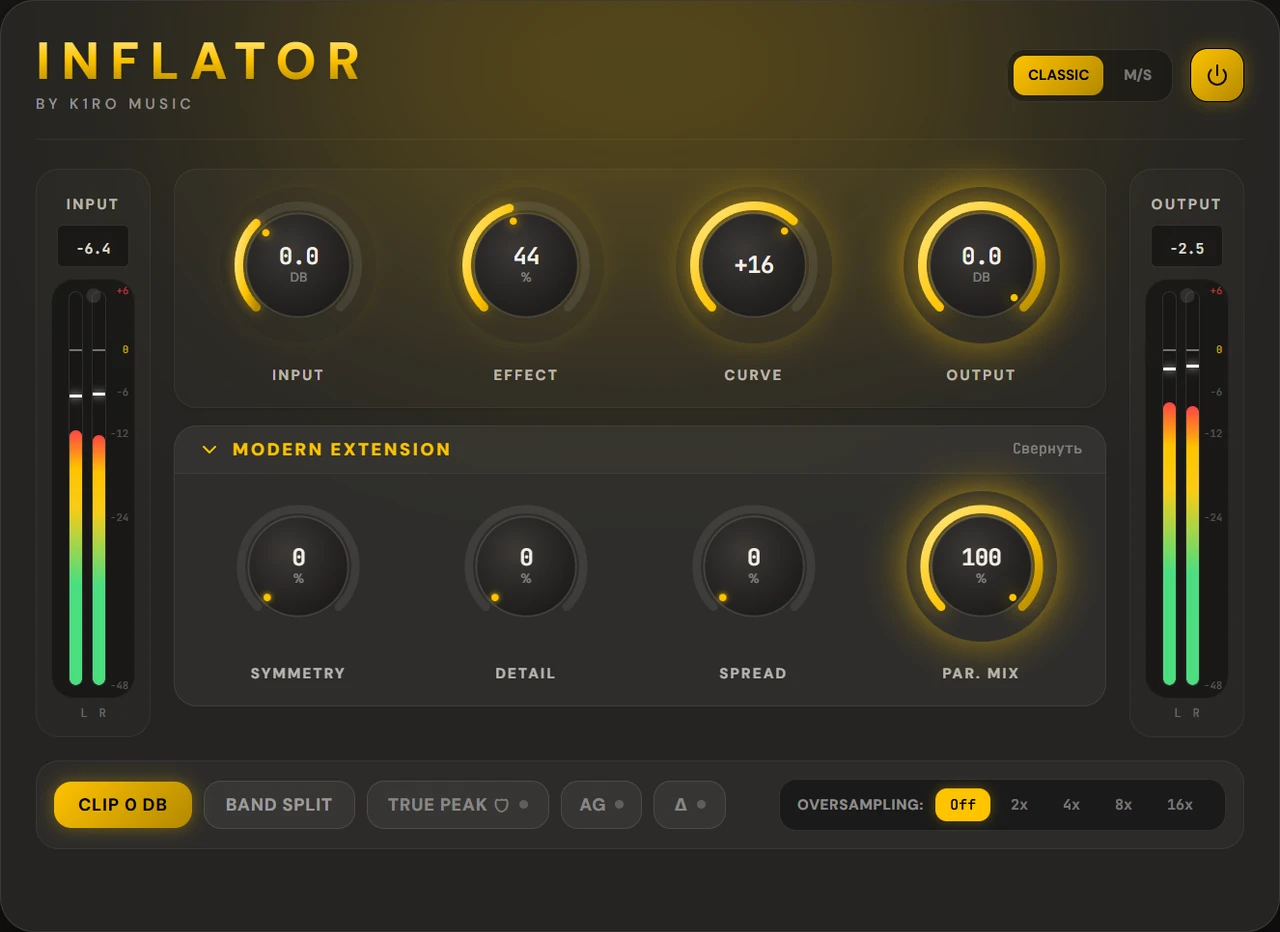
The higher the Effect, the louder and denser the sound. Input drives the saturation harder, Output sets the final level.
Curve changes the shape of the saturation, Band Split divides the signal into three bands, and the extensions add Symmetry, Detail, Spread and parallel mixing.
Auto Gain matches the loudness of the source, Δ lets you hear only what the plugin added, and the power button bypasses it without shifting the track.
what's inside
Input, Effect, Curve, Output: four knobs and nothing else. The plugin lifts the average level with saturation while the peaks stay within 0 dB.
Extensions on top of the classic path. While their knobs are at zero, you hear only the classic sound.
The True Peak Limiter measures peaks between samples and holds a −0.05 dBTP ceiling. Below the ceiling the signal passes unchanged.
Every parameter can be automated, and the latency is reported to the DAW, so tracks stay in place.
system requirements
| Item | Minimum | Recommended |
|---|---|---|
| Format | VST3 on Windows and macOS, AU on macOS | — |
| DAW | Any with VST3 or AU support | Tested in Logic Pro, Cubase and REAPER |
| OS | Windows 10 x64; macOS 11 | Windows 11, macOS 14 and newer |
| Processor | Windows: any 64-bit Intel or AMD; Mac: Apple Silicon | — |
| WebView2 | Needed for the plugin window on Windows; the installer adds it if missing | Already in Windows 11 |
| Internet | For activation and for renewing the license every 30 days | — |
questions
990 ₽, a one-time purchase with updates included. The 7-day trial has every feature. Without a license the plugin passes audio through unprocessed.
One license works on two computers.
On Windows, run the installer: it puts the plugin in the shared VST3 folder. On Mac, open the .pkg installer and follow the steps: it installs VST3 and AU for all users and asks for an administrator password. Then open your DAW and rescan plugins if Inflator hasn't appeared.
For activation and every 30 days: the plugin renews its license by itself when online. A computer without internet can be activated with a file.
Open System Settings → Privacy & Security and click “Open Anyway” next to the Inflator installer. On macOS 13–14, right-clicking the file and choosing “Open” is enough. You only need to do this once.
The installer isn't signed with a Microsoft certificate: they can't be obtained from Russia. Click “More info” → “Run anyway”. You only need to do this once.
buying