Paste links
One or a whole batch — one per line or separated by spaces. Short suno.com/s/… links work too.
Download Suno tracks as MP3, WAV and stems
Free · 5 tracks a day
Followers of the K1RO MUSIC Telegram channel get no limit.
Standalone app for Windows and macOS (Apple Silicon). No sign-up, no keys.
four steps
One or a whole batch — one per line or separated by spaces. Short suno.com/s/… links work too.
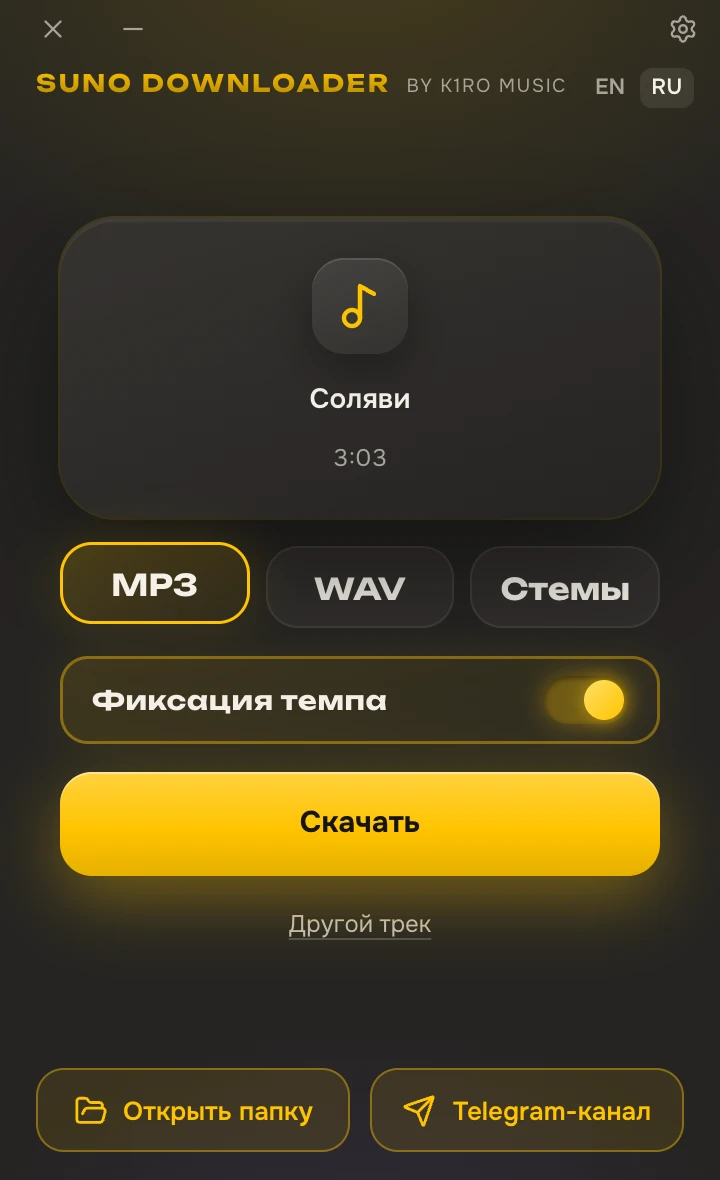
The app shows titles, cover art and length. Nothing downloads until you confirm.
MP3, WAV, stems, 4 stems or the original. The app remembers the format and folder for next time.
Three tracks download at once; finished files land in the folder you chose.
what's inside
Save the track in whatever form you need next: listening on the go, dropping into a DAW, or keeping it as is.
A neural network splits the track into vocal and music right on your computer, no cloud. With a graphics card it's quick; without one it runs on the CPU — slower, but it works.
The app is free, with no sign-up and no keys: 5 tracks a day, and no limit for followers of the K1RO MUSIC Telegram channel. For comparison, since September 3, 2026, Suno itself allows 7 downloads in total on Free, 20 a month on Pro and 60 a month on Premier.
Paste a dozen links at once: the app checks them, shows the list and downloads everything with one button. Tracks with the same title won't overwrite each other.
system requirements
| Item | Minimum | Recommended |
|---|---|---|
| OS | Windows 10 x64 | Windows 11 |
| WebView2 | If it's missing, the installer downloads and installs it | Already built into Windows 11 |
| GPU | Not required — stems run on the CPU, slower | DirectX 12 support — stems several times faster |
| Memory | 4 GB | 8 GB — for stems of long tracks |
| Disk | 150 MB for the app, plus room for tracks | Per minute of audio: MP3 about 2.4 MB, WAV 11 MB, stems 22 MB |
| Internet | For downloading tracks | Stem separation runs without the cloud |
| macOS | macOS 13.4 or later, Apple Silicon only (M1–M4) | Intel Macs — not yet |
questions
No. A link to a public track — one that opens for anyone — is enough. You don't need to sign in to Suno or give the app your password.
It's free: no sign-up, no keys, 5 tracks a day. Followers of the K1RO MUSIC Telegram channel get no limit: click “Remove the limit” in the app, and the K1RO bot opens in Telegram — it checks your subscription and removes the limit. The limit counts tracks, not links: without a channel subscription, you get 5 tracks a day from a 20-track playlist.
Yes — with the K1RO bot in Telegram, @k1romusic_bot: send it a link to a Suno track and it replies with an MP3 or WAV with the title, cover art and lyrics. The bot is for K1RO MUSIC channel followers and downloads more than Suno: YouTube, VK, Yandex Music, Spotify, SoundCloud, TikTok, Instagram and Pinterest. Whole Suno playlists and profiles, a cappella and beat, and 4 stems are in the app only.
Yes. Telegram is only needed to remove the limit. Without it, the app works as usual — 5 tracks a day.
The app is for listening, reference, remixing and practice. For a commercial release, download the track officially in Suno: under Suno's terms, only official downloads come with commercial rights. Someone else's track belongs to its author — you can't release it, however it was downloaded.
No: Suno serves the track compressed, and WAV can't add detail that isn't in the source. WAV is handy for working in a DAW and for stems. For plain listening, MP3 320 or the original is enough.
It depends on the track: in a dense mix the a cappella may keep traces of instruments, and the beat may keep a shadow of the vocal. Try it on your own tracks — the app is free.
The app isn't signed with a developer certificate yet, so SmartScreen warns you the first time you run the installer. Click “More info” → “Run anyway”. If there's no such button, Smart App Control is probably on — message me and I'll help.
Yes, for downloading: tracks come from Suno's servers. Stem separation runs on your computer, without the cloud.
Suno can change its site without notice, and downloading may stop working for a while — that's outside our control. The fix ships as a new version of the app.
No. Suno is a trademark of Suno, Inc. K1RO is not affiliated with Suno, Inc., and the app is not endorsed or supported by that company.
Yes, for Macs with an Apple Silicon chip (M1, M2, M3, M4) and macOS 13.4 or later: download it on this page. It does not run on Intel Macs. If macOS refuses to open the app: System Settings → Privacy & Security → “Open Anyway”; you only need to do this once.
Suno is a trademark of Suno, Inc. K1RO is not affiliated with Suno, Inc. The app downloads public tracks only; the rights to each track belong to its author.